Claude Code Setup for AI Proxy
This guide helps you use Claude Code (Anthropic’s AI CLI) effectively with this project.
Related:
- Architecture Overview - System design and components
- Testing Guide - Test strategy and coverage
- Configuration Guide - Environment variables
- Z.ai Knowledge Base - GLM-specific setup
Using Z.ai (GLM Coding Plan)? See Z.ai Knowledge Base for specific setup instructions with GLM models.
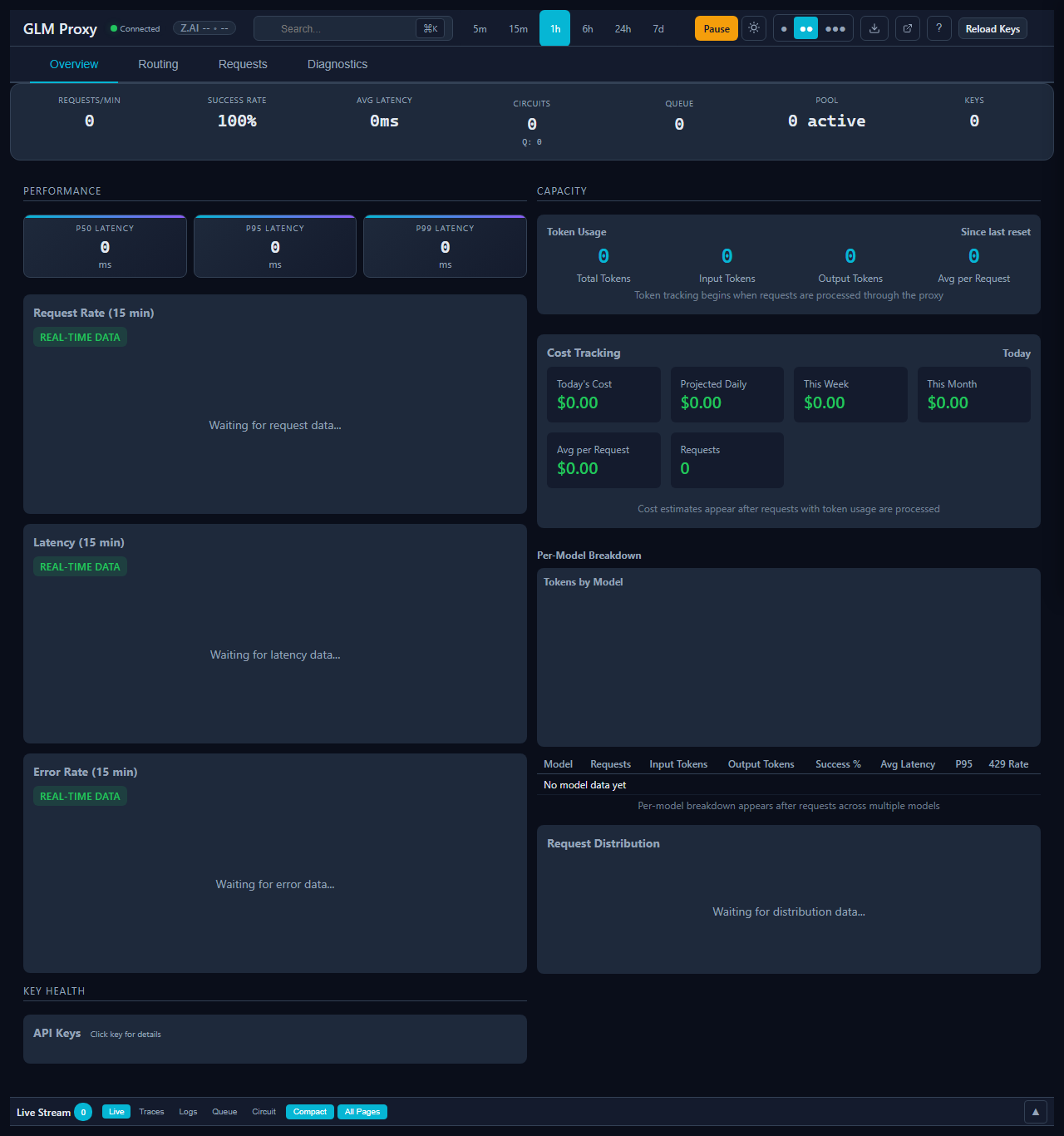
Dashboard Overview
The AI Proxy dashboard provides real-time visibility into your proxy operations:
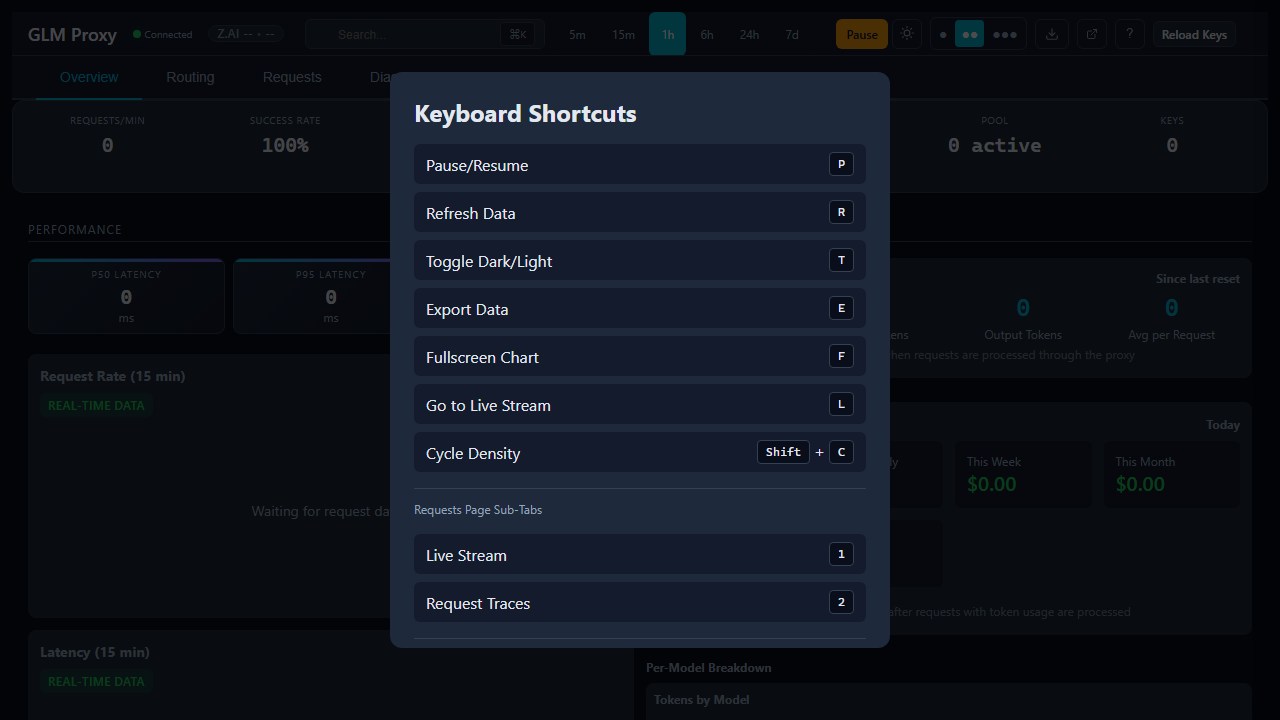
Keyboard Shortcuts
Power users can navigate the dashboard efficiently using keyboard shortcuts:
Project Context
AI Proxy is a high-performance API proxy written in Node.js using CommonJS (not ESM).
Key characteristics:
- Single-threaded event loop with optional clustering
- Circuit breaker pattern for fault tolerance
- AIMD (Additive Increase/Multiplicative Decrease) for adaptive concurrency
- Real-time dashboard with Server-Sent Events
Recommended Claude Code Instructions
Create .claude/CLAUDE.md in your project root:
# AI Proxy - Project Instructions

## Module System
This project uses CommonJS (`require`), NOT ESM (`import`). Do not convert to ESM.

## Testing
- Write tests before implementing features (TDD)
- Run `npm test` before committing
- New features need test coverage
- Test files are in `test/` with `*.test.js` naming

## Key Files
- `lib/config.js` - All configuration (check before adding new env vars)
- `lib/key-scheduler.js` - Key selection logic
- `lib/model-router.js` - Model routing (3700+ lines, be careful)
- `lib/request-handler.js` - Core proxy logic
- `lib/dashboard.js` - Dashboard UI (large file, modularization in progress)

## Patterns
- Circuit breaker: CLOSED -> OPEN -> HALF_OPEN
- Request flow: Queue -> Rate Limit -> Key Select -> Proxy -> Retry
- Stats use RingBuffer for memory efficiency
- Config uses DEFAULT_CONFIG + environment overrides

## Performance
- Avoid blocking operations in request path
- Use async/await consistently (no callback hell)
- Defer non-critical work (stats persistence, logging)

## When Refactoring
- Prefer extracting smaller modules
- Check MIGRATION.md for refactoring progress
- Maintain test coverage above 80%
Common Workflows
Debugging a Failing Test
- Read the test file to understand what’s failing
- Check related module imports
- Use
npm run test:verbosefor detailed output - Add debug logging if needed
Adding a New Feature
- Write test first (TDD)
- Run test to confirm it fails
- Implement feature
- Run tests to confirm passing
- Update documentation if needed
Refactoring
- Ensure all tests pass first
- Make small changes
- Run tests frequently
- Keep functionality identical
Tips for Best Results
- Ask for specific file paths when referring to code
- Reference the test file when discussing test failures
- Mention the error message when debugging
- Ask for the specific test case when tests fail