Model Routing
Complexity-aware routing layer that sits above the legacy ModelMappingManager. Routes Anthropic /v1/messages requests to GLM target models based on request complexity, supporting rule-based matching, heuristic classification, per-model cooldowns, and failover.
When enabled: false (default), the router is constructed but selectModel() returns null. All traffic falls through to the legacy ModelMappingManager. You can configure the router while disabled and toggle on without restart.
Related:
- Z.ai Coding Subscription - Quick tier comparisons and limits
- Z.ai Knowledge Base - Comprehensive model specs and API details
- Model Mapping - Static model name mapping
- Configuration Guide - Environment variables
- Metrics Reference - Prometheus metrics for routing
Dashboard Visualization
Accessing the Routing Page
Navigate to the Model Routing page using the page navigation tabs:

Model List View
The routing page displays all configured models with their tier assignments, pricing, and concurrency limits:
Each model card shows:
- Model name and tier assignment
- Input/output token pricing
- Current and maximum concurrency
- Add/remove controls for tier management
Tier Builder
Configure routing tiers using the drag-and-drop interface:
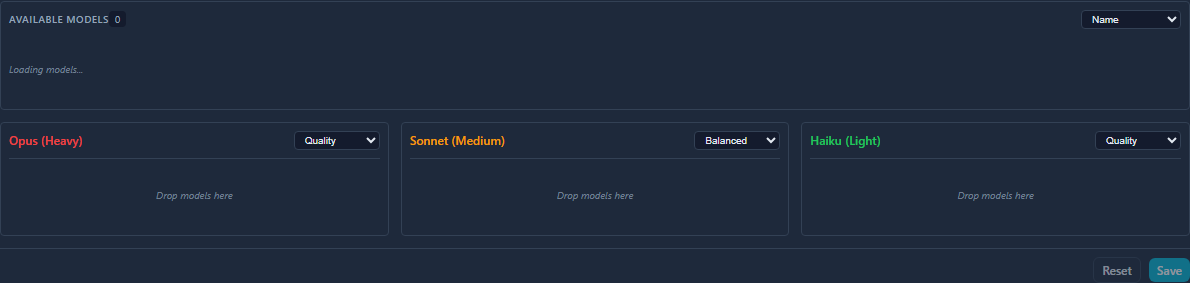
The tier builder lets you:
- Assign models to tiers (light, medium, heavy)
- Configure fallback chains for each tier
- Set routing strategies (balanced, quality, throughput)
Quick Start
Minimal config to enable routing:
{
  "modelRouting": {
    "enabled": true,
    "tiers": {
      "light": { "targetModel": "glm-4.5-air", "clientModelPolicy": "always-route" },
      "medium": { "targetModel": "glm-4.6", "clientModelPolicy": "always-route" },
      "heavy": { "targetModel": "glm-4.7", "clientModelPolicy": "always-route" }
    }
  }
}
This routes all requests through the heuristic classifier. Light requests go to glm-4.5-air, medium requests to glm-4.6, and heavy requests to glm-4.7.
Routing Precedence
Strict order, first match wins:
- Per-request UI override –
x-model-overrideheader (requires admin auth) - Saved overrides – set via dashboard or API
- Config rules – evaluated in array order, first match wins
- Heuristic classifier – only when at least one tier has
clientModelPolicy: "always-route" defaultModelfallback- Legacy
ModelMappingManager– when router returnsnull - Passthrough – original model unchanged
When the router selects a model (steps 1–5), the result bypasses the legacy ModelMappingManager entirely.
Configuration Reference
Full config block with defaults:
{
  "modelRouting": {
    "enabled": false,
    "defaultModel": null,
    "tiers": {
      "light": {
        "targetModel": "glm-4.5-air",
        "fallbackModels": ["glm-4.6"],
        "clientModelPolicy": "rule-match-only"
      },
      "medium": {
        "targetModel": "glm-4.6",
        "fallbackModels": ["glm-4.5-air"],
        "clientModelPolicy": "rule-match-only"
      },
      "heavy": {
        "targetModel": "glm-4.7",
        "fallbackModels": ["glm-4.6", "glm-4.5-air"],
        "clientModelPolicy": "rule-match-only"
      }
    },
    "rules": [],
    "classifier": {
      "heavyThresholds": {
        "maxTokensGte": 4096,
        "systemLengthGte": 2000,
        "messageCountGte": 20,
        "hasTools": true,
        "hasVision": true
      },
      "lightThresholds": {
        "maxTokensLte": 512,
        "messageCountLte": 3
      }
    },
    "cooldown": {
      "defaultMs": 5000,
      "maxMs": 30000,
      "decayMs": 60000,
      "backoffMultiplier": 2,
      "maxCooldownEntries": 50
    },
    "failover": {
      "maxModelSwitchesPerRequest": 1
    },
    "logDecisions": true,
    "overridesFile": "model-routing-overrides.json",
    "maxOverrides": 100
  }
}
Tier Policies
| Policy | Behavior |
|---|---|
rule-match-only |
Tier only activates if a rule explicitly matches. Safe default. |
always-route |
Tier activates via heuristic classifier when no rule matches. Enables automatic load spreading. |
Rules
Rules are evaluated in array order. First match wins. All match conditions within a rule use AND logic.
{
  "rules": [
    { "match": { "model": "claude-3-haiku-*" }, "tier": "light" },
    { "match": { "model": "claude-opus-*" }, "tier": "heavy" },
    { "match": { "maxTokensGte": 8192, "hasTools": true }, "tier": "heavy" }
  ]
}
Match conditions:
| Condition | Type | Description |
|---|---|---|
model |
glob | Pattern with * wildcards against the request model name |
maxTokensGte |
number | max_tokens >= value (skipped when max_tokens absent) |
messageCountGte |
number | messages.length >= value |
hasTools |
boolean | true if tools array is non-empty |
hasVision |
boolean | true if any message contains image content |
Classifier
When at least one tier has always-route, the classifier evaluates request features against thresholds:
- Any heavy threshold met –>
heavytier - All light thresholds met –>
lighttier - Otherwise –>
mediumtier
maxTokens thresholds are only evaluated when the request includes max_tokens. Requests without max_tokens are not incorrectly classified as light.
Cooldowns
Per-model cooldown tracking with exponential backoff. When a target model returns 429:
- Cooldown recorded:
retryAfterMs * backoffMultiplier^(hitCount-1), capped atmaxMs - On next routing decision, if
targetModelis cooled down, tryfallbackModelsin order (skipping cooled and already-attempted) - If all candidates are unavailable, use
targetModel(best effort) - Cooldown count resets after
decayMswithout a 429 - Map size is capped at
cooldown.maxCooldownEntries(default: 50). When a new model needs tracking and the map is full, the entry with the oldestlastHitis evicted
Pool Burst Dampening
When multiple API keys hit 429 simultaneously (a pool burst), the model router dampens cooldown values to prevent over-penalizing models that are only temporarily rate-limited at the pool/account level.
How it works:
- During a pool burst (
isPoolBurst = true), the cooldown value applied to the model is reduced byburstDampeningFactor(default: 0.2, range: 0-1) - The
countfield is NOT incremented during burst-dampened recordings, preventing exponential backoff escalation from concurrent 429s - A burst-dampened cooldown can never shorten an existing longer cooldown (
max()semantics)
Configuration:
"cooldown": {
    "burstDampeningFactor": 0.2
}
A factor of 0.2 means a 5000ms computed retry delay becomes max(100, round(5000 * 0.2)) = 1000ms for the model cooldown during a pool burst.
Prometheus metric:
glm_proxy_model_routing_cooldowns_recorded_total{mode="normal"} 42
glm_proxy_model_routing_cooldowns_recorded_total{mode="burst"} 5
Dashboard: Burst-dampened cooldowns appear with reduced opacity and a (burst) tag next to the model name.
Observability Dashboard
The dashboard includes a “Routing Observability” panel showing:
- Burst Share / Failover Share: Window-relative ratios (burst-dampened or failover decisions / total decisions in the selected time window)
- 429/min: Upstream 429 rate within the window
- Pool Cooldown: Current pool cooldown status
- Decisions by Tier: Doughnut chart (light/medium/heavy)
- Decisions by Source: Doughnut chart (override/rule/classifier/default/failover)
- 429s & Burst Dampening: Time-series with selectable window (5m/1h/24h)
- Copy Snapshot JSON: Exports current routing stats, cooldowns, and config for debugging
Fallback Chains (v1.1+)
Each tier supports an ordered list of fallback models via fallbackModels[]:
"heavy": {
    "targetModel": "glm-4-plus",
    "fallbackModels": ["glm-4-air", "glm-4-flash"],
    "clientModelPolicy": "always-route"
}
When the target model is cooled down (429), the router tries fallback models in order, skipping any that are also cooled down or were already attempted in this request lifecycle.
Backward compatibility: The deprecated failoverModel (string) is still supported. If fallbackModels is absent or empty, failoverModel is automatically wrapped as [failoverModel]. When both are set, fallbackModels takes precedence.
failover.maxModelSwitchesPerRequest (default: 1) caps how many times a model can be switched during a single request’s retry loop. With the default of 1:
- First attempt uses
targetModel - On 429, retry switches to first available fallback
- On another 429, no further model switch (uses current model as best-effort)
Set to a higher value for deeper fallback chains:
"failover": {
    "maxModelSwitchesPerRequest": 3
}
Maximum fallbackModels array length: 10.
Overrides
Saved Overrides
Set via API or dashboard. Persisted to model-routing-overrides.json (gitignored).
{ "key": "claude-opus-4-5", "model": "glm-4.7" }
- Specific model key routes only that model
- Wildcard
*routes all models:{ "key": "*", "model": "glm-4.5-air" } - Specific model takes priority over wildcard
The total number of saved overrides is capped at maxOverrides (default: 100). When the limit is reached, new keys are rejected with a warning log. Updates to existing keys are always allowed.
Per-Request Override
Send the x-model-override header on /v1/messages requests:
curl -H "x-model-override: glm-4.7" \
     -H "X-Admin-Token: your-token" \
     http://localhost:8080/v1/messages -d '...'
Requires admin auth when enabled. Silently ignored on auth failure (does not reject the request).
Override Persistence
- Overrides are persisted to
{configDir}/model-routing-overrides.jsonvia atomic writes - This file is gitignored by default
- Cluster workers do NOT write overrides (only the primary process persists)
Replay Behavior
Replay requests (POST /replay/:id) use skipOverrides: true – they bypass per-request and saved overrides, routing only via rules/classifier/default. This ensures replays reflect the routing logic, not stale overrides.
Cluster Mode Warnings
In cluster mode:
- Cooldowns are per-worker (not shared across workers)
- Override persistence is disabled on worker processes
GET /model-routingincludes awarningsarray:["cooldowns_not_shared_in_cluster"]
API Endpoints
All endpoints require admin auth when adminAuth.enabled is true.
| Method | Endpoint | Description |
|---|---|---|
| GET | /model-routing |
Full routing state (config, overrides, cooldowns, stats) |
| PUT | /model-routing |
Update config at runtime (not persisted to disk) |
| POST | /model-routing/reset |
Clear all overrides, cooldowns, and stats |
| GET | /model-routing/test |
Dry-run classifier (no side effects) |
| GET | /model-routing/export |
Download state as JSON file |
| GET | /model-routing/overrides |
List all saved overrides |
| PUT | /model-routing/overrides |
Set override { key, model } |
| DELETE | /model-routing/overrides |
Clear override { key } |
| GET | /model-routing/cooldowns |
List active cooldowns |
Dry-Run Test
curl "http://localhost:8080/model-routing/test?model=claude-opus-4-5&max_tokens=8192&messages=5&tools=true"
Query params: model, max_tokens (optional), messages (count), tools (bool), vision (bool), system_length (chars).
Returns classification, features, target model, and failover model without affecting stats.
Prometheus Metrics
Available at GET /metrics (Prometheus exposition format):
glm_proxy_model_routing_decisions_total{tier="heavy",source="rule"} 42
glm_proxy_model_routing_decisions_total{tier="light",source="classifier"} 128
glm_proxy_model_routing_failovers_total 3
glm_proxy_model_routing_switches_total 3
glm_proxy_model_routing_cooldowns_active 1
Persisting Runtime Config
Runtime config changes via PUT /model-routing do not survive restarts. To persist:
- Export:
GET /model-routing/exportor use the dashboard “Export” button - Copy the
configsection from the exported JSON - Paste into your config file under
modelRouting - Restart the proxy
Safe Rollout Playbook
Recommended starter config
Start with all tiers set to rule-match-only (the default). This means
the classifier never fires — only explicit rules route traffic:
{
  "modelRouting": {
    "enabled": true,
    "defaultModel": null,
    "persistConfigEdits": true,
    "configFile": "model-routing.json",
    "tiers": {
      "light":  { "targetModel": "glm-4-flash", "fallbackModels": ["glm-4"], "clientModelPolicy": "rule-match-only" },
      "medium": { "targetModel": "glm-4",       "fallbackModels": ["glm-4-flash"], "clientModelPolicy": "rule-match-only" },
      "heavy":  { "targetModel": "glm-4",       "fallbackModels": [], "clientModelPolicy": "rule-match-only" }
    },
    "rules": [],
    "classifier": {
      "heavyThresholds": { "maxTokensGte": 4096, "messageCountGte": 20, "hasTools": true, "hasVision": true, "systemLengthGte": 2000 },
      "lightThresholds":  { "maxTokensLte": 512, "messageCountLte": 3 }
    },
    "cooldown": {
      "defaultMs": 5000,
      "maxMs": 30000,
      "decayMs": 60000,
      "backoffMultiplier": 2,
      "maxCooldownEntries": 50
    },
    "failover": {
      "maxModelSwitchesPerRequest": 1
    },
    "logDecisions": true,
    "maxOverrides": 100
  }
}
Step-by-step rollout
-
Deploy with
enabled: true, emptyrules, allrule-match-only. All traffic falls through to legacyModelMappingManager. The router is active but routing nothing — safe to observe. -
Add one low-risk rule targeting a specific model:
{ "match": { "model": "claude-3-haiku-*" }, "tier": "light" }Only haiku requests route to
glm-4-flash. Everything else unchanged. -
Monitor via
/metricsand/model-routing. Checkglm_proxy_model_routing_decisions_total{tier="light",source="all"}is incrementing. Verifyglm_proxy_model_routing_cooldowns_activestays 0. -
Add more rules incrementally. One tier at a time, one model glob at a time. Verify after each change.
-
Enable
always-routeon one tier (e.g.,light) to let the classifier handle requests that don’t match any rule:"light": { "targetModel": "glm-4-flash", "fallbackModels": ["glm-4"], "clientModelPolicy": "always-route" } -
Expand
always-routetomedium, thenheavyif needed.
What NOT to do
- Do not set all tiers to
always-routeon day one — the classifier routes ALL traffic, and misclassification could overload a single model. - Do not set
persistConfigEdits: trueuntil you trust the dashboard operators won’t accidentally push bad configs. - Do not use overrides (
*wildcard) as a permanent routing strategy — they bypass all classification logic and hide problems.
Monitoring checklist
| Metric | Healthy Signal |
|---|---|
glm_proxy_model_routing_cooldowns_active |
0 (steady state) |
glm_proxy_model_routing_failovers_total |
Low / stable |
glm_proxy_model_routing_decisions_total{source="failover"} |
< 5% of total |
glm_proxy_model_routing_decisions_total{source="default"} |
Decreasing as rules are added |
Rollout Recommendations
- Start conservative – keep
enabled: false(default), configure rules and tiers - Enable with
rule-match-only– setenabled: true, all tiersrule-match-onlyso only explicit rules route - Add rules gradually – start with clear model patterns (e.g.,
claude-3-haiku-*to light) - Test with dry-run – use
/model-routing/testto verify classification before going live - Enable classifier – flip light tier to
always-routefirst, monitor failover rate - Monitor – watch
byTierandbySourcestats, check/metricsfor anomalies
Quick Configuration Presets
The dashboard includes three preset configurations to help you get started quickly:
| Preset | Description | Best For |
|---|---|---|
| Conservative | All tiers use rule-match-only. No automatic classification. |
Production rollout, testing rules before enabling classifier |
| Balanced | Light tier uses always-route, others use rule-match-only. Rules take priority, classifier handles simple unmatched requests. |
Gradual migration, cost optimization for simple queries |
| Aggressive | All tiers use always-route. Full automatic routing based on complexity. |
Maximum cost optimization, mature configurations |
Presets can be applied via the API by sending a PUT request to /model-routing with the appropriate clientModelPolicy values for each tier.
Migration from Static Mapping to Intelligent Routing
Step 1: Understand your current setup
- Static mapping uses
ModelMappingManagerfor 1:1 model name translation - Intelligent routing adds
ModelRouterwith complexity-aware tier selection - Both can coexist - router takes priority when enabled
Step 2: Start with Conservative preset
- Enables routing but only for explicit rules
- No automatic classification until you’re ready
- Safe for production - minimal behavior change
Step 3: Add rules for known patterns
{ "match": { "model": "claude-3-haiku-*" }, "tier": "light" }
{ "match": { "model": "claude-opus-*" }, "tier": "heavy" }
- Target specific model patterns to appropriate tiers
- Monitor decision distribution in dashboard
Step 4: Gradually enable classifier
- Switch to Balanced preset (light tier
always-route) - Monitor cost savings and error rates
- Adjust classifier thresholds if needed
Step 5: Full optimization (optional)
- Switch to Aggressive preset only after thorough testing
- All tiers use automatic complexity classification
- Maximum cost savings but requires careful tuning
Decision Flow
When a request arrives, the routing decision follows this flow:
- Per-request override (
x-model-overrideheader) → Immediate routing - Saved overrides → Model-specific or wildcard routing
- Config rules → Pattern matching in array order
- Heuristic classifier → Complexity analysis (if tier has
always-route)- Heavy: Large context, tools, vision, many messages → Heavy tier
- Light: Small context, few messages → Light tier
- Medium: Everything else → Medium tier
- Default model → Fallback if no match
- Legacy ModelMappingManager → Static 1:1 mapping if router returns null
- Passthrough → Original model unchanged
The dashboard includes a “What happens to your requests?” visualization showing this flow.
Config Format v2
Version History
Config files are stamped with a version field. The loader accepts any version and automatically normalizes v1 configs to v2.
| Version | Changes |
|---|---|
| 1.0 | Initial config persistence format |
| 1.1 | Added fallbackModels[] per tier, failover.maxModelSwitchesPerRequest, deprecated failoverModel |
| 2.0 | Canonical in-memory format with models[] array at tier top level, v1 fields (targetModel, fallbackModels, failoverModel) removed from memory |
V1 vs V2 Format
V1 format (deprecated for in-memory use):
{
  "tiers": {
    "light": {
      "targetModel": "glm-4-flash",
      "fallbackModels": ["glm-4-air"],
      "failoverModel": "glm-4-plus",
      "strategy": "failover"
    }
  }
}
V2 format (canonical in-memory format):
{
  "tiers": {
    "light": {
      "models": ["glm-4-flash", "glm-4-air", "glm-4-plus"],
      "strategy": "balanced"
    }
  }
}
Normalization Behavior
The proxy automatically normalizes v1 configs to v2 format at load time:
- Detection: Configs with
targetModel,fallbackModels, orfailoverModelare detected as v1 - Migration: v1 fields are merged into a
models[]array in order:targetModel→ first elementfallbackModels[]→ next elementsfailoverModel→ last element
- Cleanup: v1 fields are deleted from memory (NORM-03 requirement)
- Persistence: If migration occurred, normalized config is written back to disk (optional, controlled by
persistConfigEdits)
Important: After normalization, in-memory config never contains v1 fields. API responses always return v2 format.
Strategy Mapping
| V1 Strategy | V2 Strategy |
|---|---|
failover |
balanced |
quality |
quality |
throughput |
throughput |
| (missing) | balanced (default) |
Mixed Format Warning
If a tier config contains both v1 fields (targetModel, fallbackModels, failoverModel) AND v2 field (models[]), a warning is emitted:
[model-router-normalizer] Tier "light" has both v1 fields (targetModel/fallbackModels/failoverModel) and v2 field (models[]). V2 format takes precedence.
The v2 models[] array takes precedence in this case.
Conditional Persistence (NORM-02)
Normalized configs are only persisted when:
- Config file was migrated from v1 to v2 format
- Config content hash has changed since last persistence
A marker file (.model-routing.migrated) tracks the hash to prevent duplicate writes. This prevents unnecessary disk writes when the same v1 config is loaded multiple times.
Write failures are handled gracefully - the server continues running with in-memory normalized config.
API Response Format (NORM-04)
All API endpoints return v2 format only:
GET /model-routing response:
{
  "config": {
    "tiers": {
      "light": {
        "models": ["glm-4-flash", "glm-4-air"],
        "strategy": "balanced"
      }
    }
  }
}
V1 fields (targetModel, fallbackModels, failoverModel) are never returned at the top level of API responses. If a tier was migrated from v1, the original v1 values may be available under a legacy sub-object for debugging purposes.
Per-Key Overrides (NORM-08)
Per-key overrides in ModelMappingManager are simple model ID string mappings:
{ "claudeModel": "glmModel" }
They are not tier configs (no targetModel, fallbackModels, etc.), so they are already v2-compatible and do not require normalization.
File Hash Tracking
The normalization system uses SHA-256 hashes to detect config changes:
computeConfigHash(config)→ SHA-256 hash of config JSON- Marker file stores
{ hash: string, migratedAt: ISODate } shouldPersistNormalizedConfig()compares current hash to marker
This ensures:
- First-time v1 load → persisted
- Same v1 loaded again → skipped (hash matches)
- Config updated → persisted (hash differs)