Security Configuration Guide
This document describes security settings for the GLM Proxy and provides guidance for safe deployment.
Related:
- Configuration Guide - Environment variables and settings
- Dashboard Guide - Visual monitoring and key health
- Monitoring Guide - Health checks and alerts
- Load Testing Guide - Performance validation
Dashboard Security
The dashboard provides visibility into system health and security status:
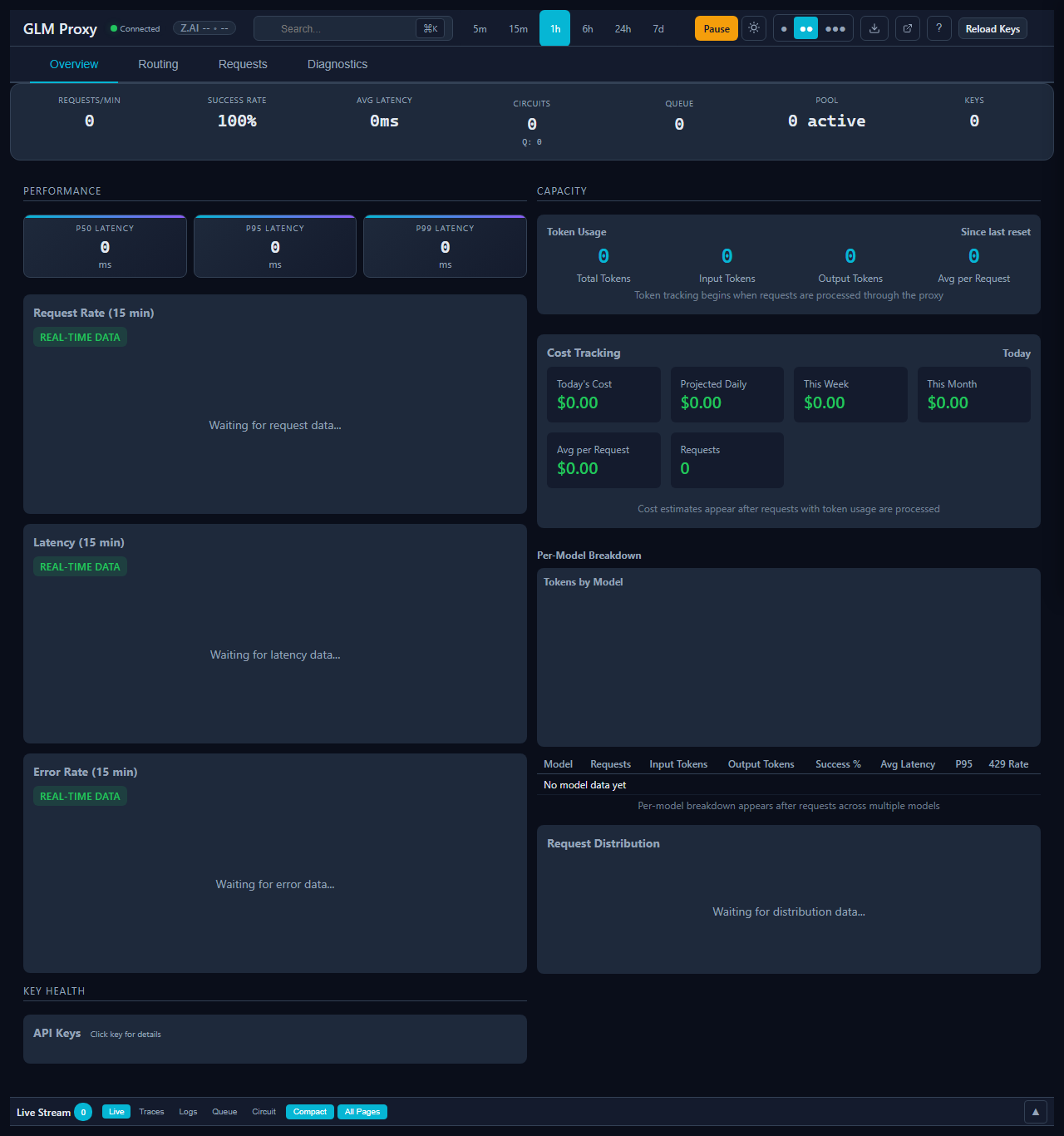
Connection Status - Verify secure connectivity to upstream API:

Keys Heatmap - Monitor API key health for security incidents:

Security Modes
The proxy supports three security modes that configure sensible defaults for different deployment scenarios.
Local Mode (Default)
{
  "security": {
    "mode": "local"
  }
}
Best for: Development and trusted internal networks.
- Dashboard accessible without authentication
- Admin endpoints accessible without authentication
- CSP headers disabled
- Logging includes full request/response bodies
Internet Mode
{
  "security": {
    "mode": "internet"
  }
}
Best for: Internet-facing deployments, production systems.
Automatically enables:
- Admin authentication required
- CSP headers with strict policy
- Sensitive endpoints restricted
- Request/response body logging redacted
- Rate limiting on admin endpoints
Custom Mode
For fine-grained control, set mode: "custom" and configure individual settings:
{
  "security": {
    "mode": "custom",
    "csp": {
      "enabled": true,
      "reportOnly": false
    },
    "adminAuth": {
      "required": true,
      "endpoints": ["/control/*", "/reload", "/logs"]
    },
    "logging": {
      "redactBodies": true,
      "redactHeaders": ["authorization", "x-api-key"]
    }
  }
}
Configuration Reference
Admin Authentication
{
  "adminAuth": {
    "enabled": true,
    "tokens": ["your-secret-token-here"]
  }
}
Pass tokens via the X-Admin-Token header:
curl -H "X-Admin-Token: your-secret-token-here" http://localhost:8080/control/pause
Content Security Policy (CSP)
CSP prevents XSS attacks by controlling which resources can be loaded.
{
  "csp": {
    "enabled": true,
    "reportOnly": false,
    "directives": {
      "default-src": "'self'",
      "script-src": "'self' https://cdn.jsdelivr.net",
      "style-src": "'self' 'unsafe-inline'",
      "img-src": "'self' data:",
      "connect-src": "'self'"
    }
  }
}
Rate Limiting
Protect against abuse with rate limits:
{
  "rateLimit": {
    "windowMs": 60000,
    "maxRequests": 100,
    "adminMaxRequests": 20
  }
}
Security Checklist
Before deploying to production, verify:
security.modeis"internet"or"custom"with appropriate settings- Admin tokens are set and kept secret
- API keys are loaded from environment or secure file
- CSP headers are enabled
- Logging does not expose sensitive data
- TLS is enabled (reverse proxy or native)
Using Z.ai API keys? See Z.ai Knowledge Base for data handling and privacy information.
Common Unsafe Configurations
The following configurations are flagged as unsafe by the config linter:
| Setting | Risk | Recommendation |
|---|---|---|
security.mode: "local" on non-localhost |
Dashboard exposed to network | Use "internet" mode |
adminAuth.enabled: false on internet |
Anyone can pause/control proxy | Enable admin auth |
csp.enabled: false on internet |
XSS vulnerabilities possible | Enable CSP |
Empty adminAuth.tokens with auth enabled |
Auth effectively disabled | Add secure tokens |
logging.redactBodies: false with internet mode |
Sensitive data in logs | Enable redaction |
Config Linter
Run the config linter to check for unsafe combinations:
node scripts/lint-config.js
Or check specific config file:
node scripts/lint-config.js --config /path/to/config.json
Linter Rules
- internet-mode-auth: When
security.modeis"internet", admin auth must be enabled - internet-mode-csp: When
security.modeis"internet", CSP should be enabled - auth-tokens-present: When admin auth is enabled, tokens must be configured
- no-sensitive-logging: In internet mode, body logging should be redacted
- localhost-only-local: Local mode should only bind to localhost
Environment Variables
Sensitive configuration should be passed via environment:
| Variable | Description |
|---|---|
GLM_ADMIN_TOKEN |
Admin authentication token |
GLM_API_KEYS_FILE |
Path to API keys file |
GLM_SECURITY_MODE |
Override security mode |
GLM_CSP_ENABLED |
Enable/disable CSP (1 or 0) |
Secure Deployment Example
Docker with Environment Variables
FROM node:20-slim
WORKDIR /app
COPY . .
ENV GLM_SECURITY_MODE=internet
ENV GLM_ADMIN_TOKEN=${ADMIN_TOKEN}
CMD ["node", "proxy.js"]
Reverse Proxy (nginx)
server {
    listen 443 ssl;
    server_name api.example.com;

    ssl_certificate /etc/ssl/certs/api.crt;
    ssl_certificate_key /etc/ssl/private/api.key;

    location / {
        proxy_pass http://localhost:8080;
        proxy_set_header X-Real-IP $remote_addr;
        proxy_set_header X-Forwarded-For $proxy_add_x_forwarded_for;
        proxy_set_header X-Forwarded-Proto $scheme;
    }
}
Incident Response
If you suspect a security breach:
- Rotate tokens immediately - Generate new admin tokens
- Rotate API keys - Regenerate all upstream API keys
- Check logs - Review
/logsendpoint for suspicious activity - Audit endpoints - Check
/auth-statusfor unexpected access
Reporting Security Issues
If you discover a security vulnerability, please report it via:
- GitHub Security Advisory (preferred)
- Email to security@example.com
Do not disclose security issues publicly until a fix is available.